










How to tell if you have been blocked on Telegram: the main signs
Kyiv • UNN
The status "last seen a long time ago," a missing photo, and calls without ringing may indicate that you have been blocked. We explain how to check.

The status "last seen a long time ago," the absence of a profile picture, and calls without ringing are the main signs that you have been blocked on Telegram. UNN explains how to check whether you have been banned, how this differs from a deleted profile, and how to block or unblock a contact yourself.
Main signs of being blocked on Telegram
One of the signs that you have been blocked is the activity status of the user who may have blocked you. Telegram has two activity status options — "recently," which hides when the user was last online, or a visit time, such as "just now," "active 20 minutes ago," and so on.
If you have been blocked, this status will be displayed as "last seen a long time ago."
Another sign of being blocked is the profile picture. If the user had their own photo rather than Telegram’s default image, it will no longer be displayed when you are blocked, and you will not be able to tap it to view it.
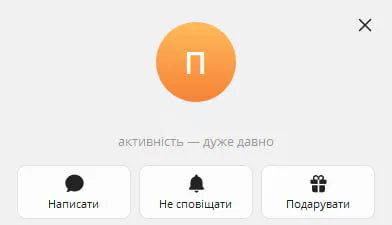
Another way to check whether you have been blocked is to make a call. If, after many attempts to call the user, the call ends even without ringing, you have most likely been blocked.
How to distinguish a block from a deleted account
As already noted, one sign of being blocked is the profile picture. If you have been blocked, the profile picture will be Telegram’s default image with the first letter of the user’s name. For example, if the user’s name is "Andrii," the photo will simply display the letter "A."
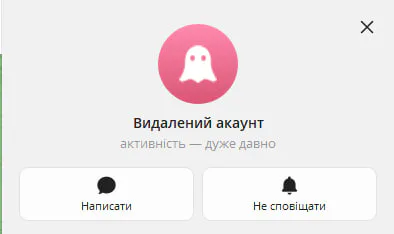
A deleted account, by contrast, will be labeled "Deleted Account," its activity status will be displayed as "last seen a long time ago," and the profile picture will show a "ghost."
How to block or unblock a contact yourself
To block a contact, you need to open the chat with the user. If you plan to do this on a desktop computer or laptop, scroll down to the section containing the user’s information and select "Block."
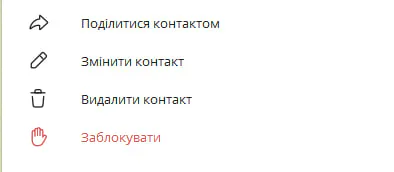
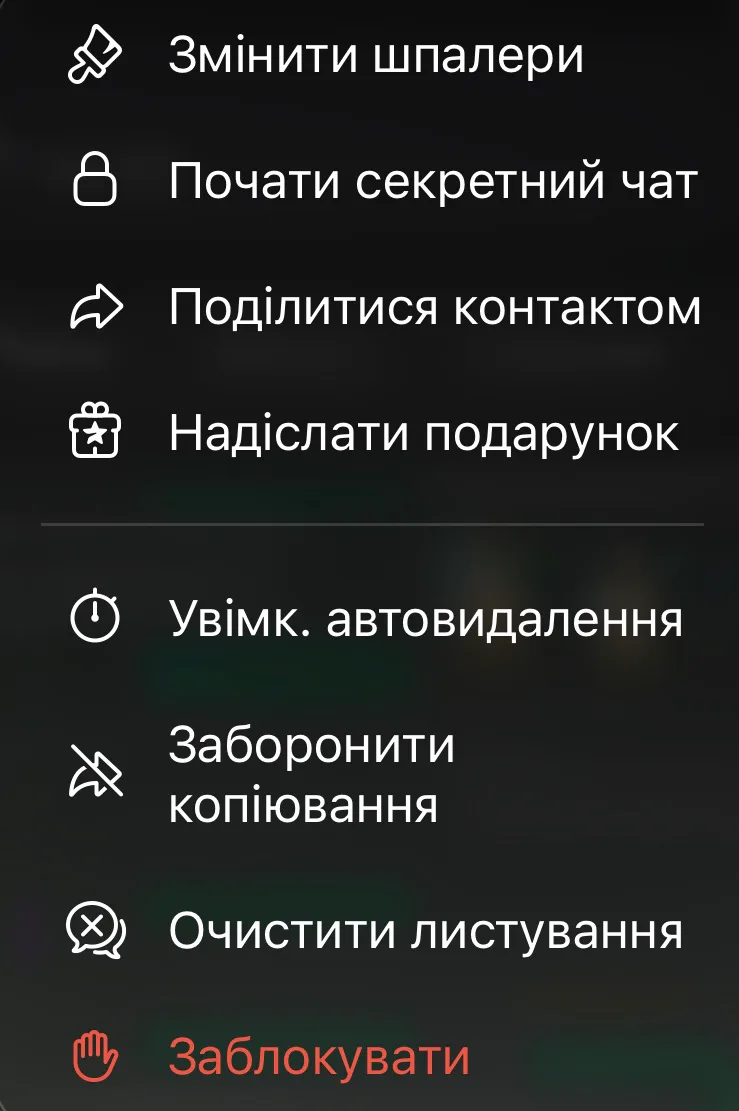
On a phone: open the chat with the user and tap either their profile picture or their name. Then tap the three dots and select "Block."
To unblock a user, open the chat with them; at the bottom of the screen, you will see the "Unblock" option.

How to create stickers in Telegram: a step-by-step guide01.05.26, 19:14 • 65236 views